Time Plans
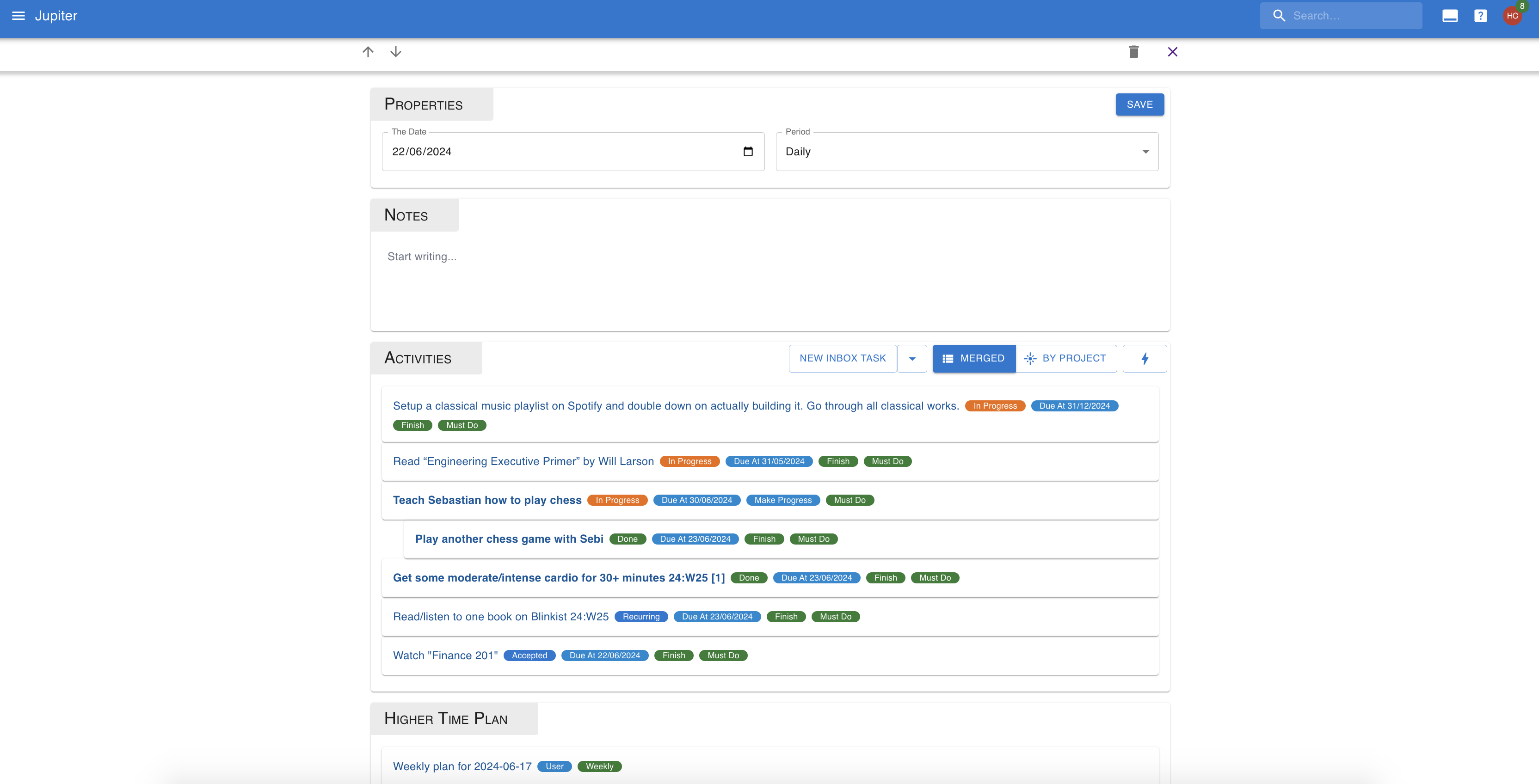
Time plans are plans that you make for a particular time period. It isa committment you make that in a certain period of time, you're going toaccomplish certain things. This is either making progress or finishingaltogether some inbox tasks or big plans.
While inbox tasks and big plans as they are capture the totality of the workthat you know of, and even assign due dates or active dates to them, time plansmake an explicit attempt at placing all this work in time, and committing toit.
The association between an inbox task or big plan and a time plan, is calledan activity. A time plan can be said to be the collection of its activities.
Time plans are also closely linked with journals. Whereasjournals are backward looking, time plans are forward looking.
Auto-Generation
Time plans can be configured to be generated automatically, via thetask gen mechanism. The mechanism is simple: a fewdays in advance of the time period a plan would target, a new plan isgenerated, with an optional planning inbox task attached to it.
There are a number of settings you can control:
- The periods you are using for planning. A typical scenario would be yearly and weekly plans.
- Whether to generate time plans and planning tasks, just time plans, or nothing at all.
- The eisenhower, difficulty, and aspect to use for generating tasks.
- How many days in advance to generate for each period.
Note that time plans are always for a given period, even if you generatethem in advance. The tasks associated with them have a due date set to thestart of the planning period, as you should finish your plans before theperiod.
Also note that if there's a time plan you created targeting that sameperiod and date combination, a new one won't be generated.
Properties
Time plans are written on a particular day for a particular period interval.The period can be one of:
- Daily: the day's plan
- Weekly: the week's plan, as recorded on the particular day.
- Monthly: the month's plan, as recorded on the particular day.
- Quarterly: the quarter's plan, as recorded on the particular day.
- Yearly: a whole year's plan, as recorded on the particular day.
Only one journal can exist for a particular day and period combination.
Time plans also have a written document attached to them, so you can addthoughts that don't fit as neatly into the activities format.
An activity has a target, which is either an inbox task or a big plan.
Activities also have a kind, which can be:
- Finish: you plan on finishing this activity during the period.
- Make Progress: you plan on making progress during the period.
Activities also have a feasability, which can be:
- Must Do: it is very important that you make the required progress on the activity during the period.
- Nice To Have: if you can make progress, it's good, if not, no worries.
- Stretch: very unlikely to make progress.
Finally activities have a measure of doneness withing the time plan.This is not something that can be judged at the level of a single activity,but requires looking at the whole thing.
- Inbox tasks of a finish kind are considered done if they are in either the done or not done status, and this occurred during the time plan's period.
- Inbox tasks of a make progress kind are considered done if there is some modification of the inbox tasks during the time plan's period.
- Big plans of a finish kind are considered done if they are in either the done or not done status, and this ocurred during the time plan's period.
- Big plans of a make progress kind are considered done if all the inbox tasks associated with it in the time plan are considered done, or if there are no such tasks if there is some modification done during the time plan's period.