Tutorial
Access
First, go to the Thrive. This is the hosted versionof Thrive, which is the recommended way to start. If you're looking for a local install,then checkout installation instructions. Everything below should work the same.
Create A Workspace
The workspace is where all your work in Thrive happens. You'll first need to create one.
On accessing Thrive you should just see a basic button which you need to click.

You'll see a login form. You need to press New Workspace and you'll be
prompted with the following:
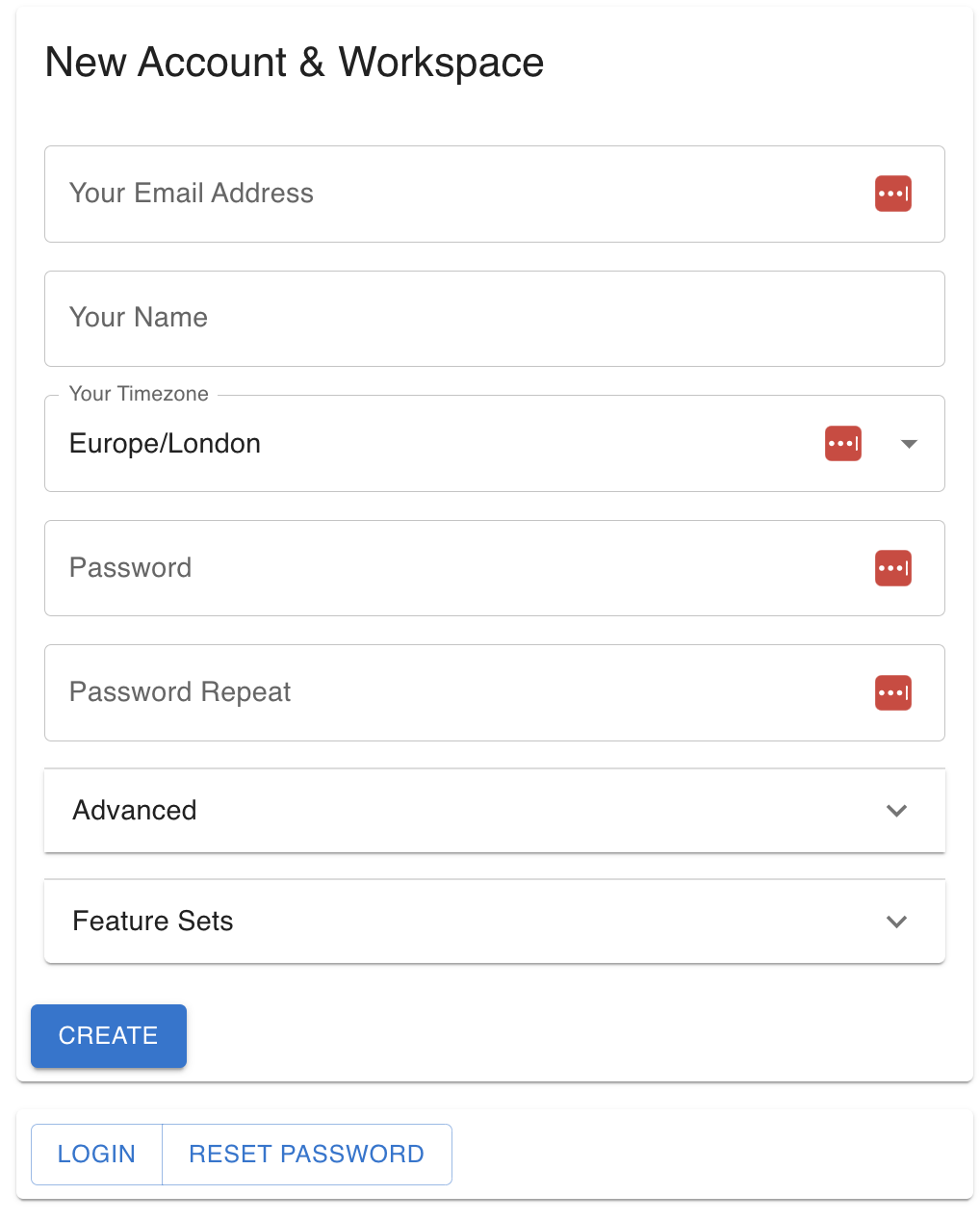
You can check what the advanced and feature flagsaccordions if you're curious.
Press Create and you will be shown an account recovery
token thatyou need to store in a safe space.
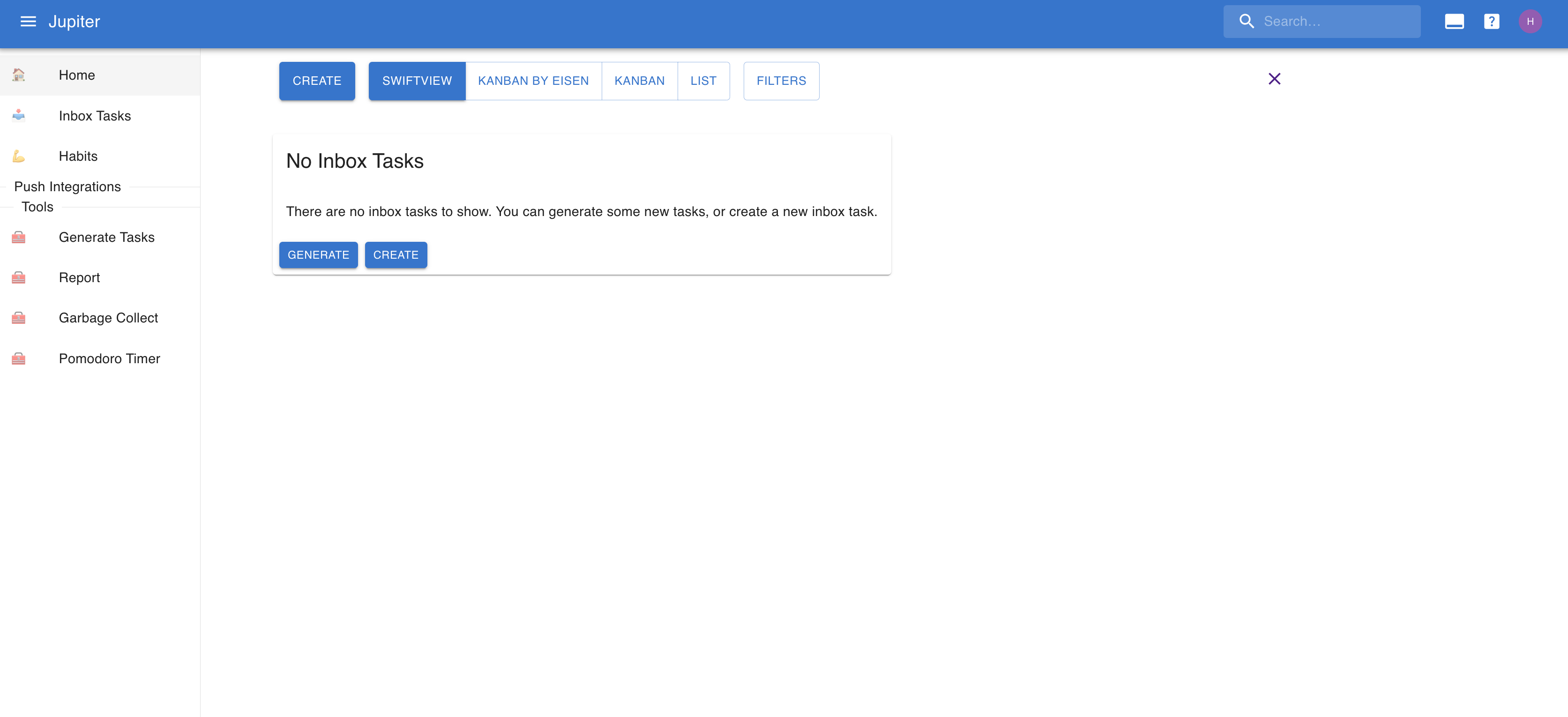
Once you do that, you can proceed to your newly created workspace.
This will be empty and minimalistic from a features point of view:
Create An Inbox Task
Let's create an inbox task. Press Create and you'll be prompted with something
like this:
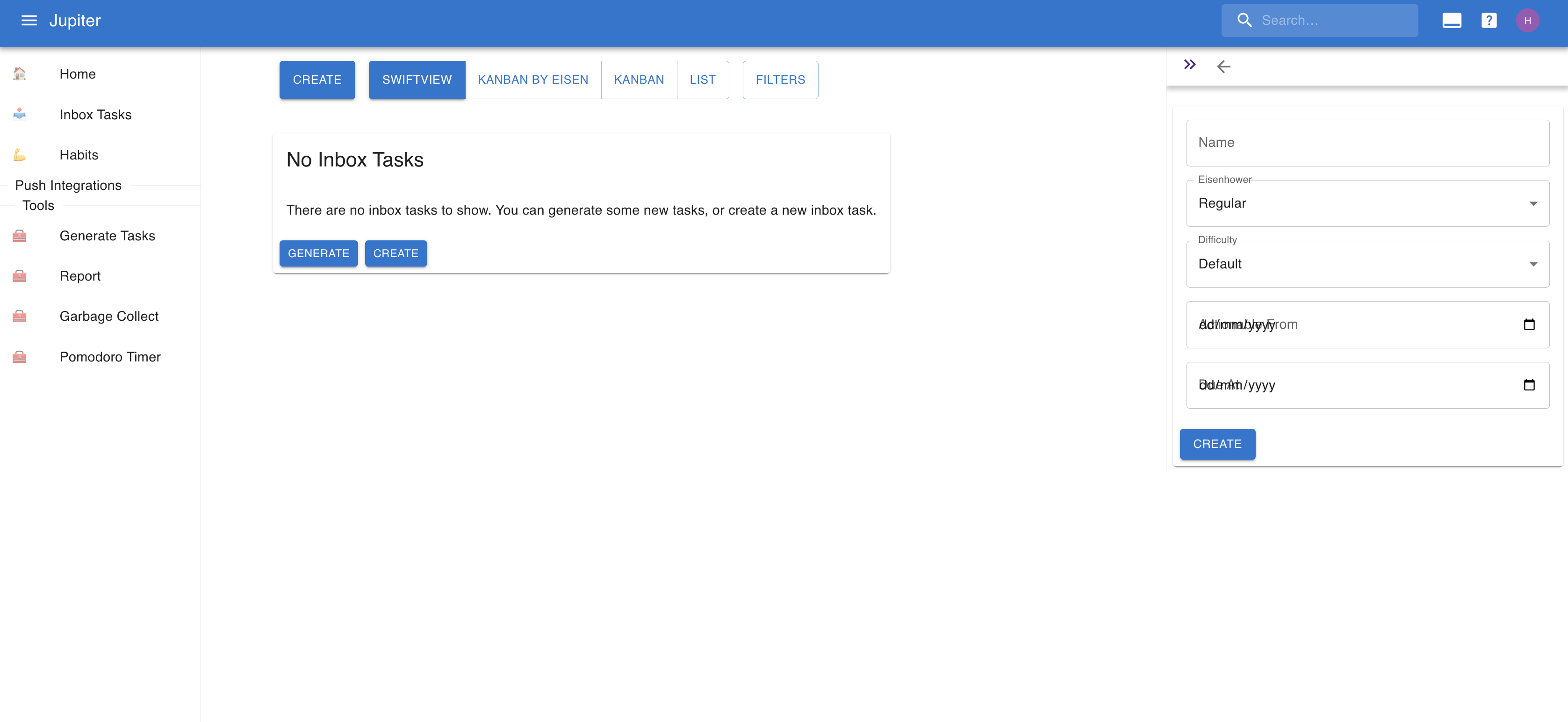
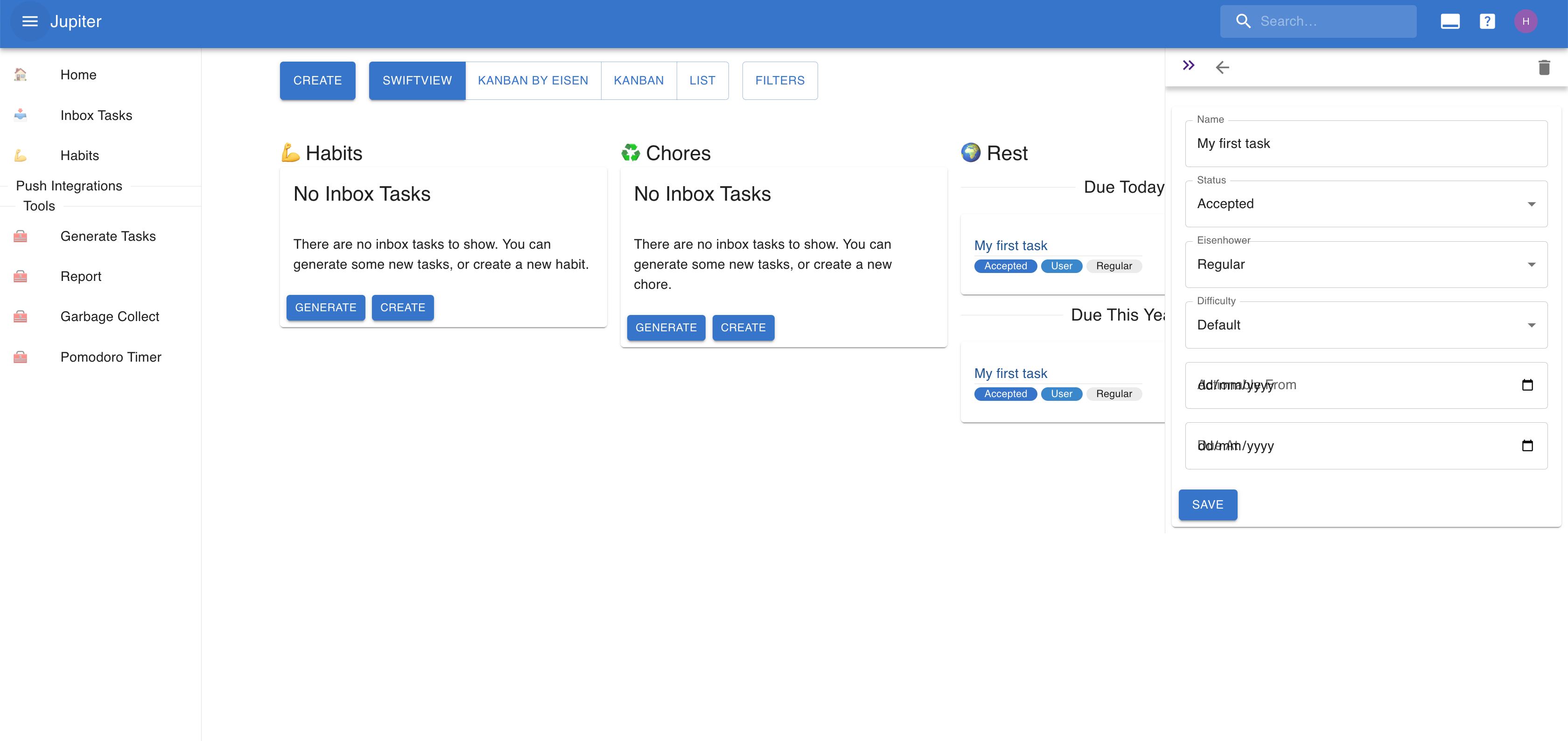
Name the task My fist task and press Create. Things should look like this
now:
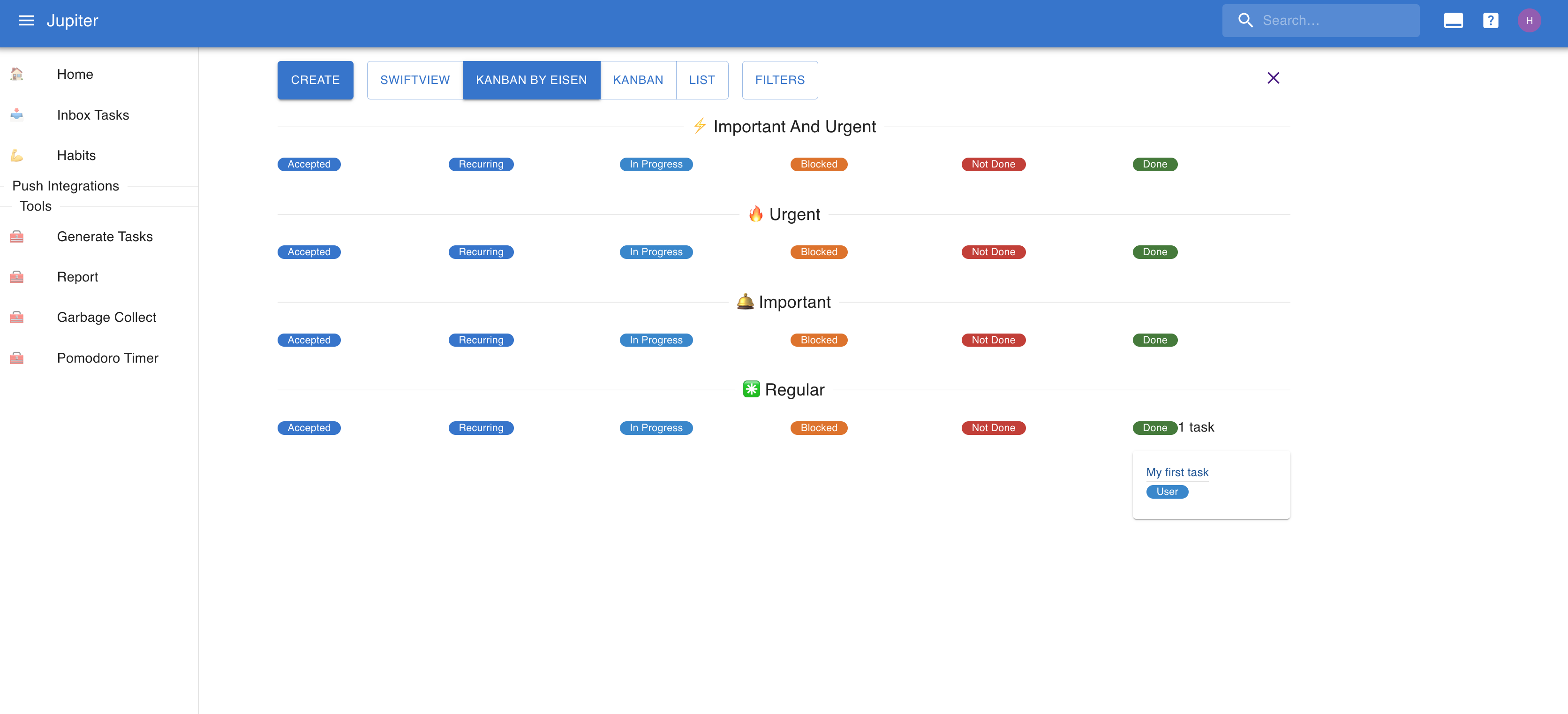
Switch over to the Kanban By Eisen view and drag and drop the task to the
Done column. Things shouldlook like this now:
Congrats
Congrats! You created your workspace and performed your first task on Thrive. It's a big achievement!
You are now equiped with this fundamental knowledge. Now you can play around, or read the various partsof this guide to get yourself familiarized with the possibilities. Checkout conceptsand how-tos for this more in depth information.
Welcome to Thrive and happy planning!