Vacations
A vacation is a set period of time when some scheduled tasks aren't scheduled. These are essentially chores that do not have the must do attribute set.
Vacations are attached to the workspace. You can see them in the Vacations
left-hand menu tab. An example:
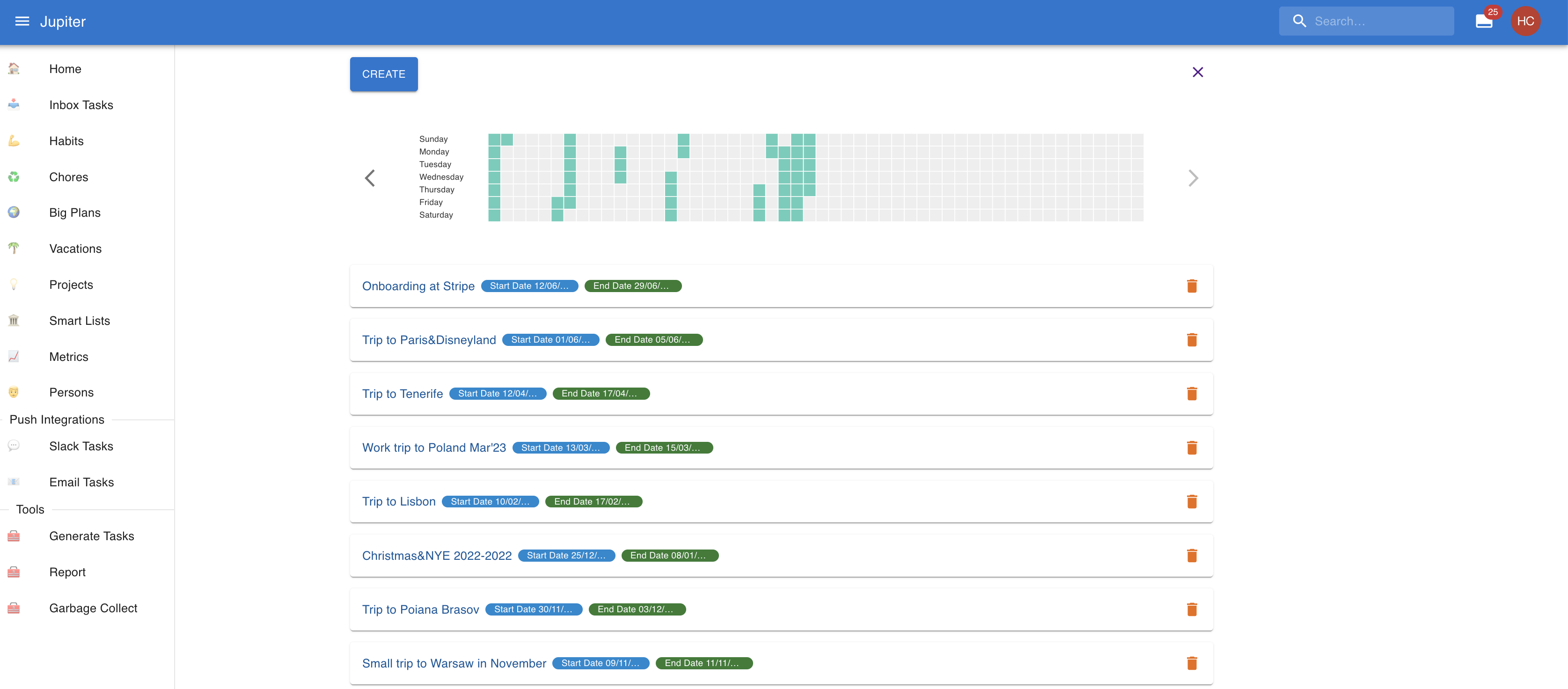
The Vacations app has two views:
- Vacations — dated trips. During those dates, chores that are not marked must do are not generated.
- Wish list — places you want to visit, without dates yet.
Alternatively you can see vacations via vacation-show in the CLI, and travel
wishes via travel-wish-show.
Vacation Properties
A vacation has a name.
The start date is the time when the vacation starts, and tasks should not be generated. It should be before the end date.
The end date is the time when the vacation ends, and tasks should again be generated. It should be after the start date.
A vacation can also carry tags, contacts, and one or more locations.
Each vacation shows up on the calendar as a full day event covering the whole trip. Vacations can be shared with other Thrive users, and published as a public read-only page.
Travel Wishes
A travel wish is a place you would like to visit. It lives in the same Vacations app, under the wish list view.
You create a wish by picking a location. The wish starts with that location's name. Afterwards you can rename it, and attach more locations, tags, and contacts.
When you are ready to go, you can create a vacation from a wish. That copies the name, tags, contacts, and locations onto a new vacation — you supply the start and end dates — and archives the wish.
Travel wishes can be shared with other Thrive users, the same way vacations can.